I started building Ddalkk to reduce the work of turning business information into articles and short videos. This example uses a work-permit topic to show the process — including the parts I still had to fix.

This is a silent 12-second preview. The visuals include illustrations and sample documents, not just real photographs.
The Ddalkk screen I work with
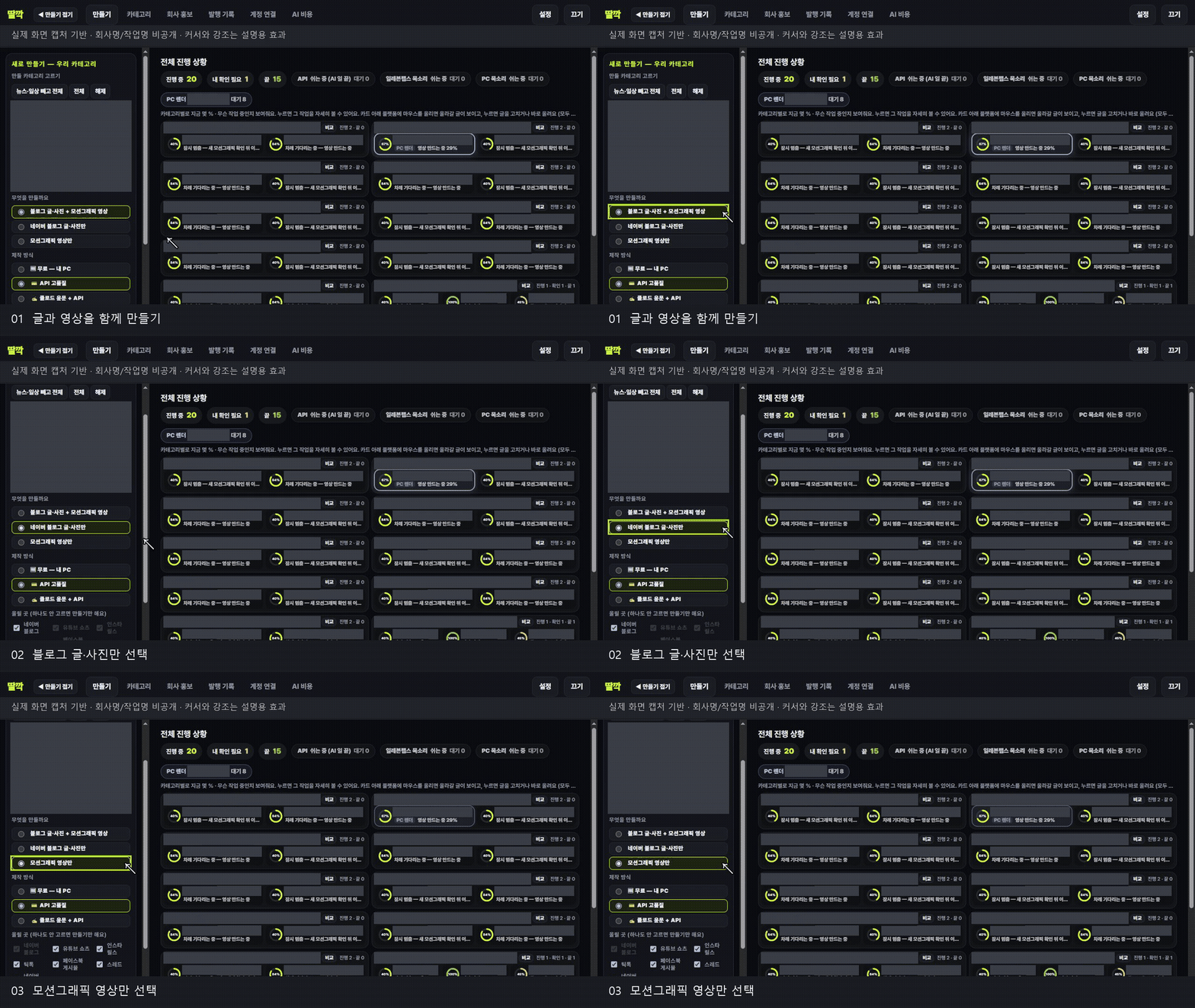
The left side offers three choices: article plus video, blog article only, or motion graphic only. Progress appears on the right. This demonstration only selects options: it did not alter existing jobs, launch a new paid AI job or publish anything. Company names, categories, job titles and costs were masked, and cursor highlights were added afterwards.
Why I started building it
I’m building Ddalkk with Claude Code because preparing a script, voice-over, captions and motion graphics separately takes time. I wanted one workflow that starts with the company material and carries it through to content I can review.
From the material to the result
I used the difference between having a visa and permission to work as the topic of the opening scene. The working sequence contained 21 scenes: questions, key points, checklists, steps and a closing. Six manually supplied visual assets were prioritised. Some were illustrations or sample documents, so they should not be mistaken for photographs of actual customer paperwork.
The AI and tools I used
Claude Code helped with development. The working record also shows ChatGPT / OpenAI being used to polish the script.
The visual skin was rm_official_navy, combining navy and orange with key text, checklist, photo, search and closing scenes. Remotion handled the timing, graphics and rendering; the record described this as a cinematic render.
ElevenLabs was configured for voice generation when the material was reviewed. The pace was balanced across seven voice scenes, and a speed setting of 1.08 was used to fit the result into 60 seconds.
The supplied record did not document a named Claude Code skill, so I can’t give this a specific skill name. The documented process was script polishing, scene styling, voice, captions and Remotion rendering.
The workflow I use for my work
I choose the category, material and topic, then review the script and scene plan. After generating the voice and captions, I watch the result again. I check whether the opening is clear, whether a checklist moves too quickly, and whether each image matches the words.
What still needed work
This was not a finished result from a single click. The record includes fixes for clipped captions, mismatched scene images, and checklist introductions and titles, followed by another render.
A comparison against a re-transcribed voice track was recorded as 99%. That number describes the recorded text comparison; it does not mean the overall video quality was 99%. Natural pacing and ease of listening still need a human check.
Only the short, silent GIF preview is embedded here. A full video with sound can be added when a published platform link is available. At the time of this record, the WordPress workflow was being moved to the new IldanBuild site, with category and link routing being organised.
The aim is to keep the finished video and a useful account of how I made it together, so a short clip can lead to a fuller explanation.